

Disable pages
Hide pages your server doesn’t use, such as Cameras or Radio. Disabled pages disappear from the sidebar for everyone, and links to them open the home page instead. Their data is kept, so you can turn a page back on any time.- Admin panel
- config.lua
1
Open Interface
Run
/mdtadmin and open Interface.2
Hide pages
Under Disabled pages, pick each page to hide.
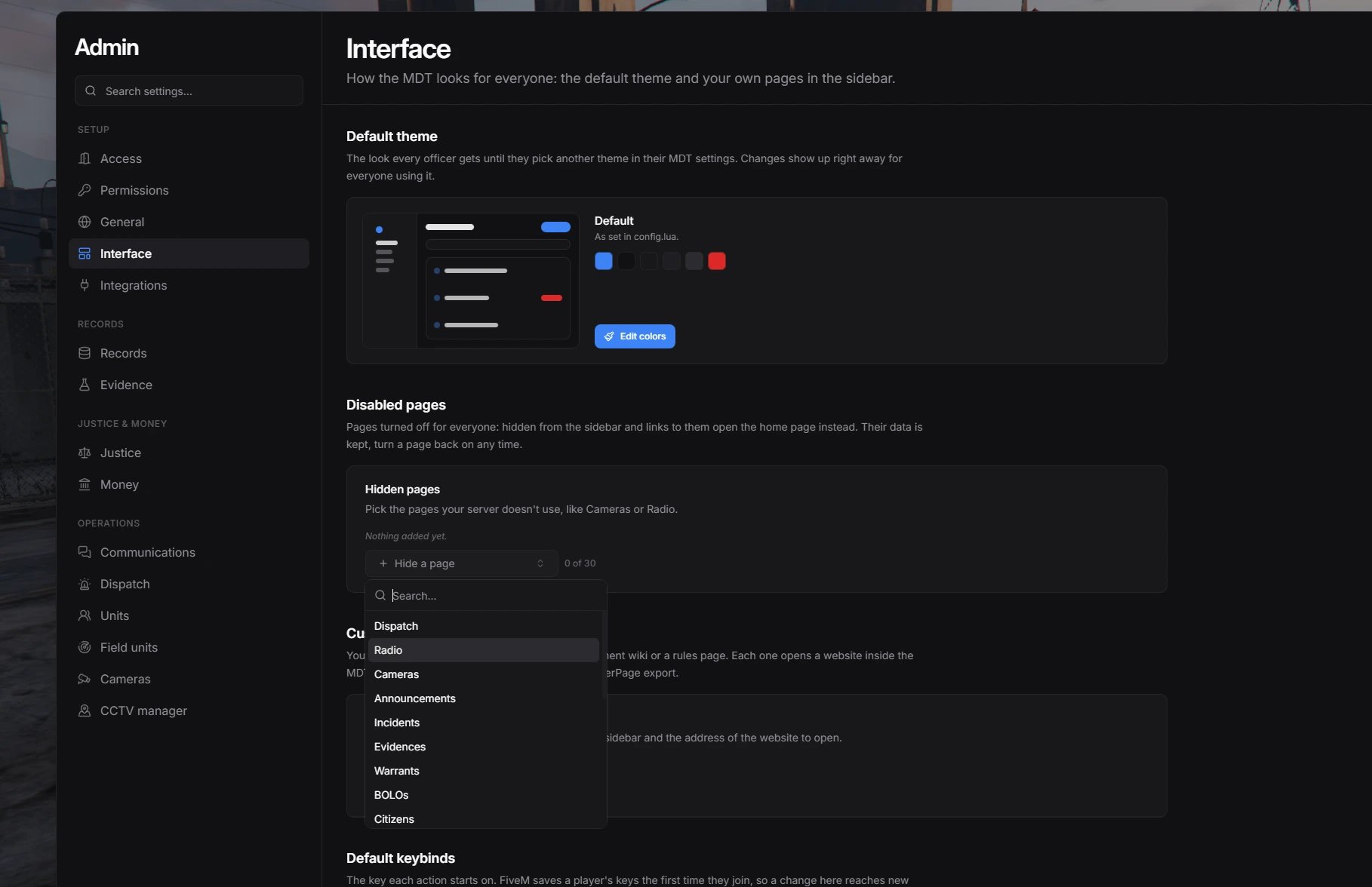
Hiding pages in the Interface section
Page names
Page names
dashboard, dispatch, radio, cameras, announcements, incidents, evidences, warrants, bolos, citizens, vehicles, houses, weapons, officers, penalcode, penalties, prisoners, operationplans, templates, logs, employees, management, configAdd your own pages
Custom pages open a website inside the MDT, such as a department wiki, rules, or your own tool. Each page gets its own entry in the sidebar.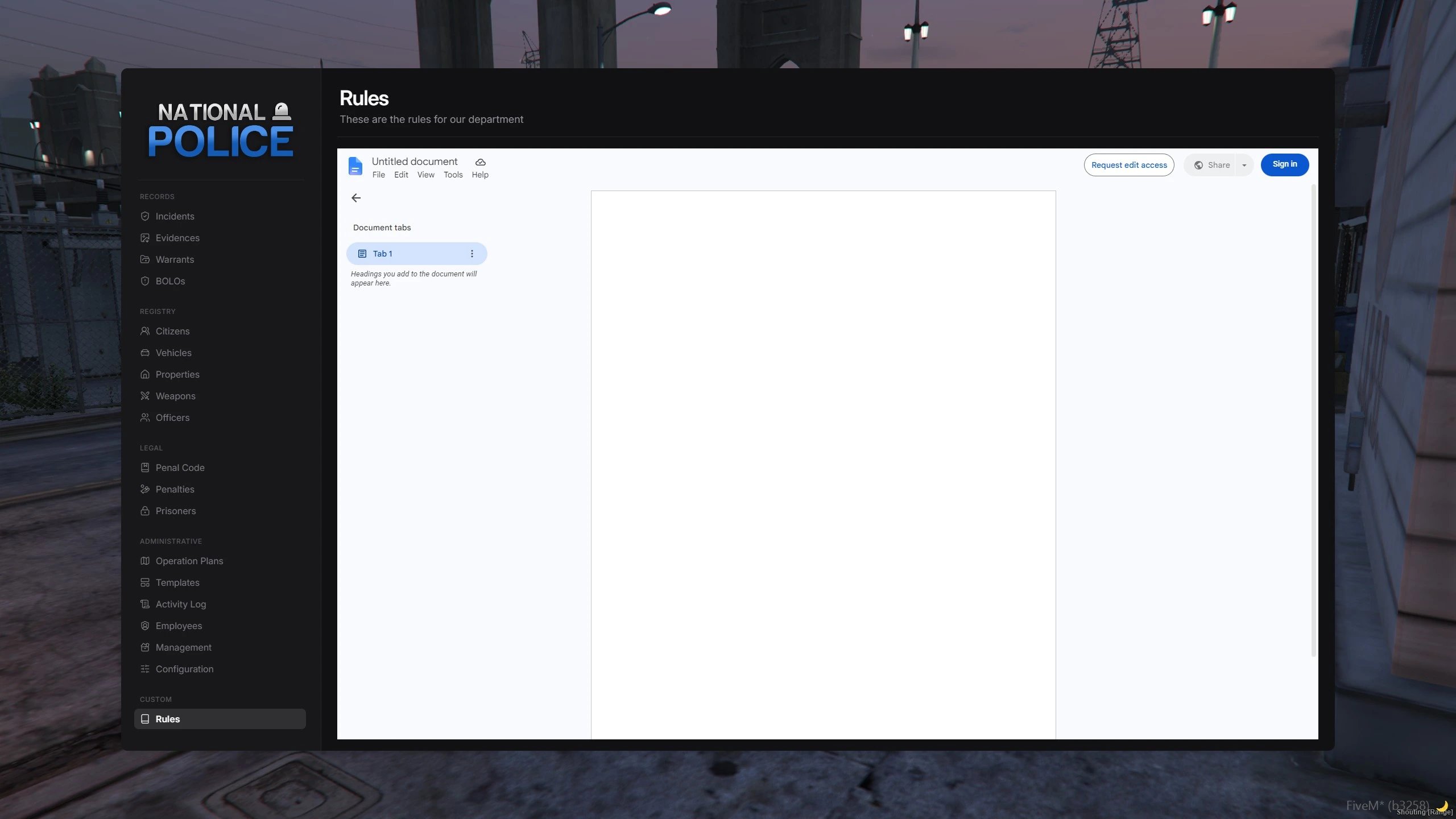
A custom page open in the MDT
From the admin panel or config
- Admin panel
- config.lua
1
Open Interface
Run
/mdtadmin, open Interface, and find Custom pages.2
Add a page
Fill in the name, sidebar text, and website address. The other fields are optional. The preview shows how the sidebar will look.
3
Choose who sees it
Pick a permission, or type your own, such as
wiki.view. Leave it empty to show the page to every officer.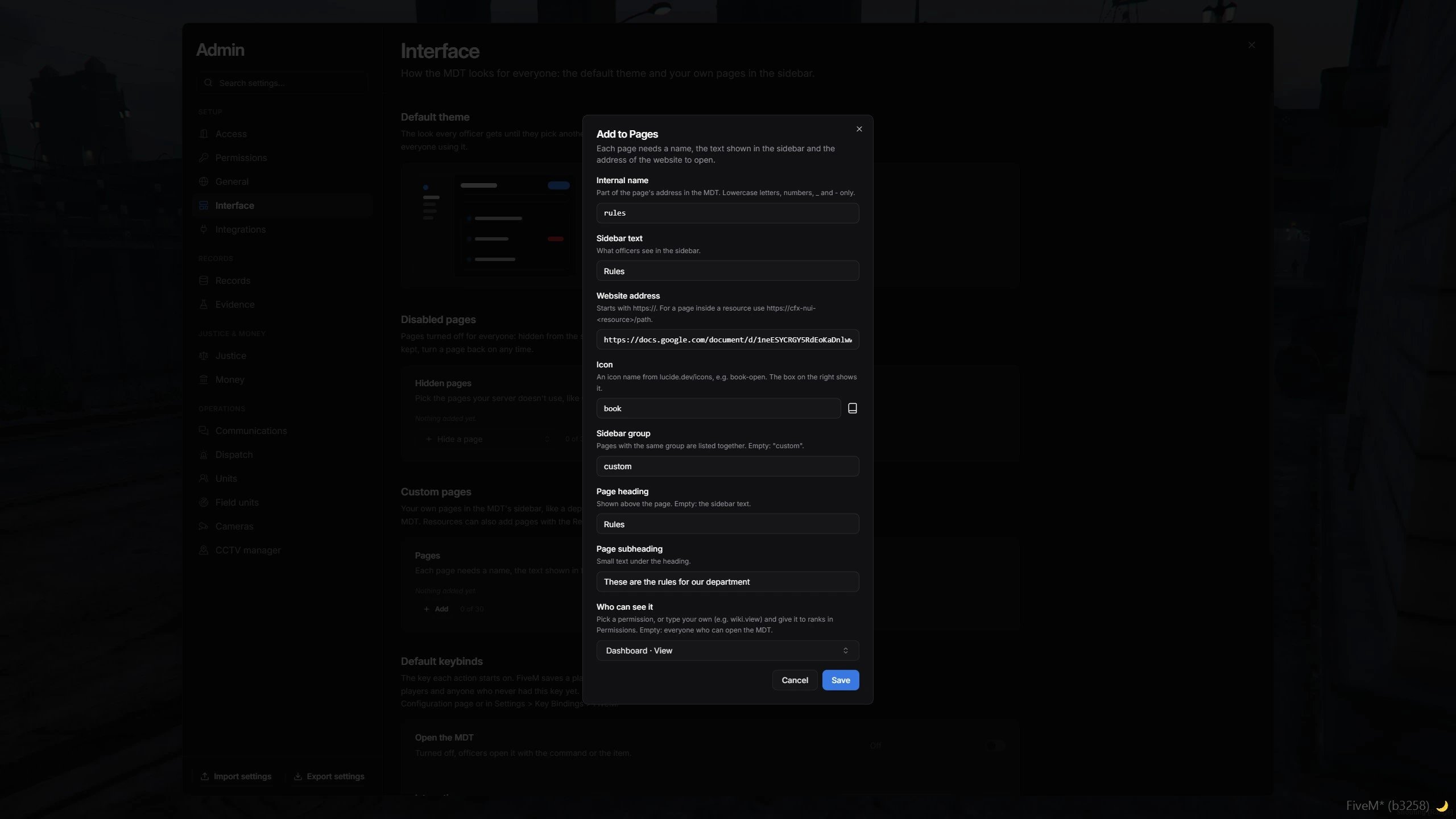
Adding a custom page, with the sidebar preview
From a resource
CallRegisterPage on the client to add a page from your own resource. The page is removed automatically when your resource stops.
client.lua
permission, the page needs dashboard.view.
To serve the page from your resource, add its files to your fxmanifest.lua:
fxmanifest.lua
UnregisterPage with its name:
client.lua
Give officers access
A custom permission such asmyplugin.view doesn’t belong to anyone yet. Add it to config/permissions.json, on the lowest grade that should see the page, in every job that should use it. The in-game permission editors only list built-in permissions, so custom ones go in the file.
config/permissions.json
2 up. Restart the resource, or call ReloadPermissions to apply it without a restart. See Permissions for how grades work.