

Config.AutoPopulateData decides where the Citizens and Vehicles pages get their data from.
Automatic
Withtrue, the MDT reads characters and owned vehicles straight from your framework. Officers can search anyone right away, and new characters show up as soon as they’re created.
config/config.lua
Manual registration
Withfalse, the Citizens and Vehicles pages start empty. A person or vehicle only exists in the MDT once an officer registers it, like a real records system. Officers can’t attach unregistered people or vehicles to incidents, warrants, BOLOs, or charges.
config/config.lua
mdt_citizens, and registered vehicles in mdt_vehicles.
Register a citizen
1
Open Citizens
Open the MDT, go to Citizens, and click Register Citizen.
2
Pick the character
Choose any character that isn’t registered yet, online or offline.
3
Fill in the details
Check the name, date of birth, gender, nationality, height, job, and grade. A fingerprint is generated for you, and the phone number is read from the phone resource.
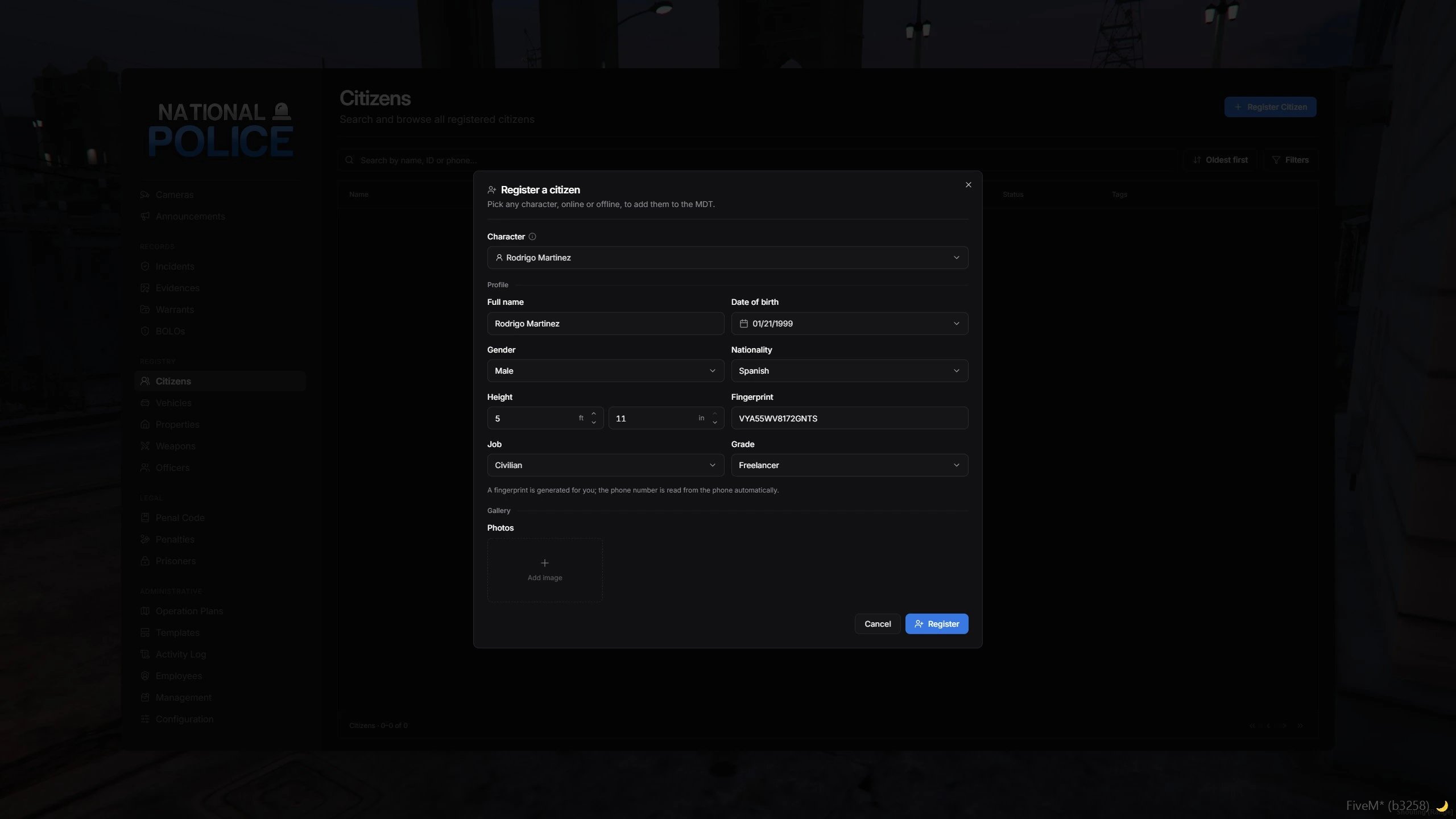
Registering a citizen
Register a vehicle
1
Open Vehicles
Go to Vehicles and click Register Vehicle.
2
Enter the vehicle
Type the plate, model, and colors, or click Fill from a nearby vehicle.
3
Assign the owner
Pick the owner from the registered citizens.
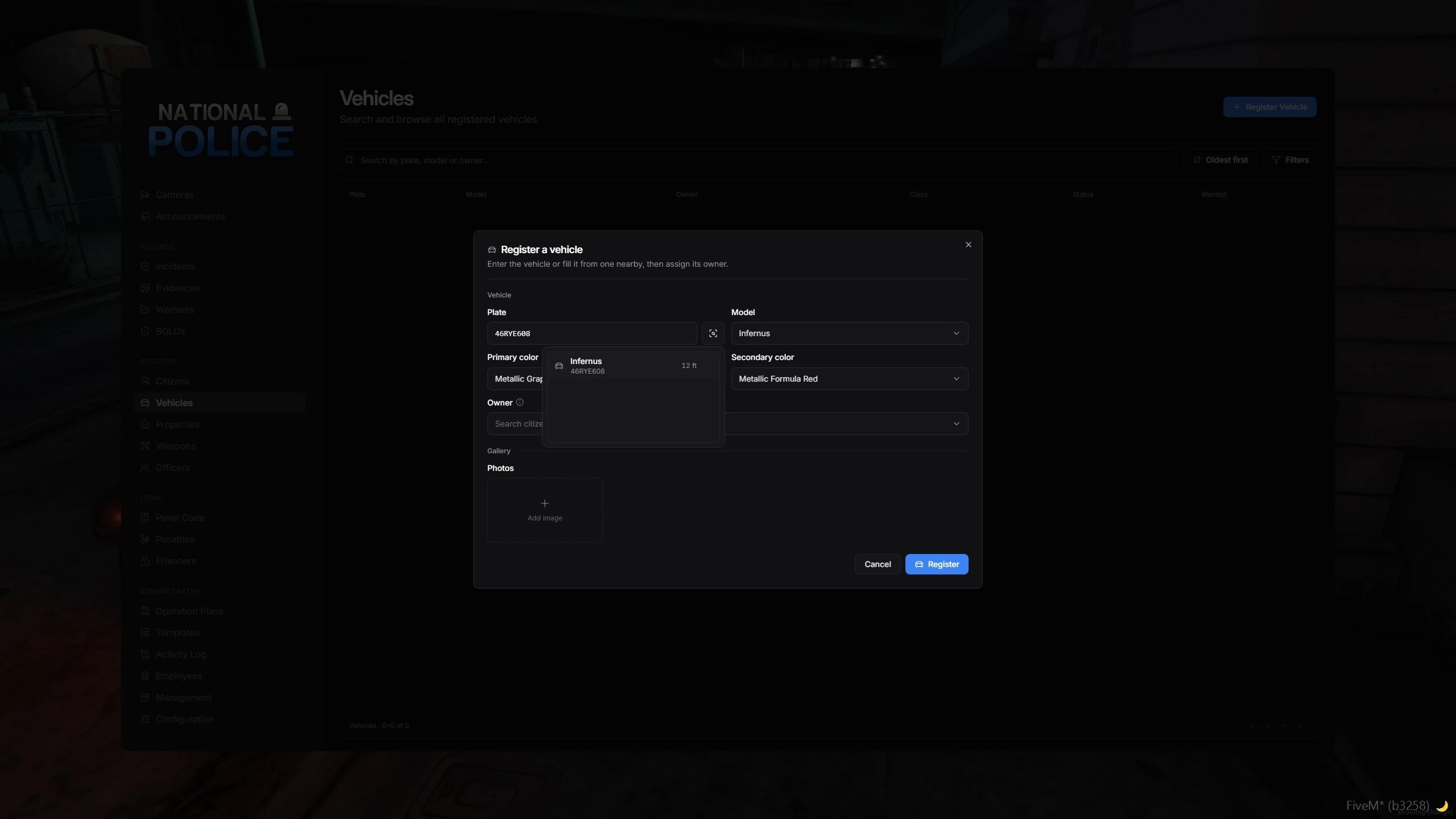
Registering a vehicle
Give officers access
Only grades with these permissions can register and edit records:
Give them to the ranks that act as your records clerks. See Permissions.
Change the mode
- Admin panel
- config.lua
Run 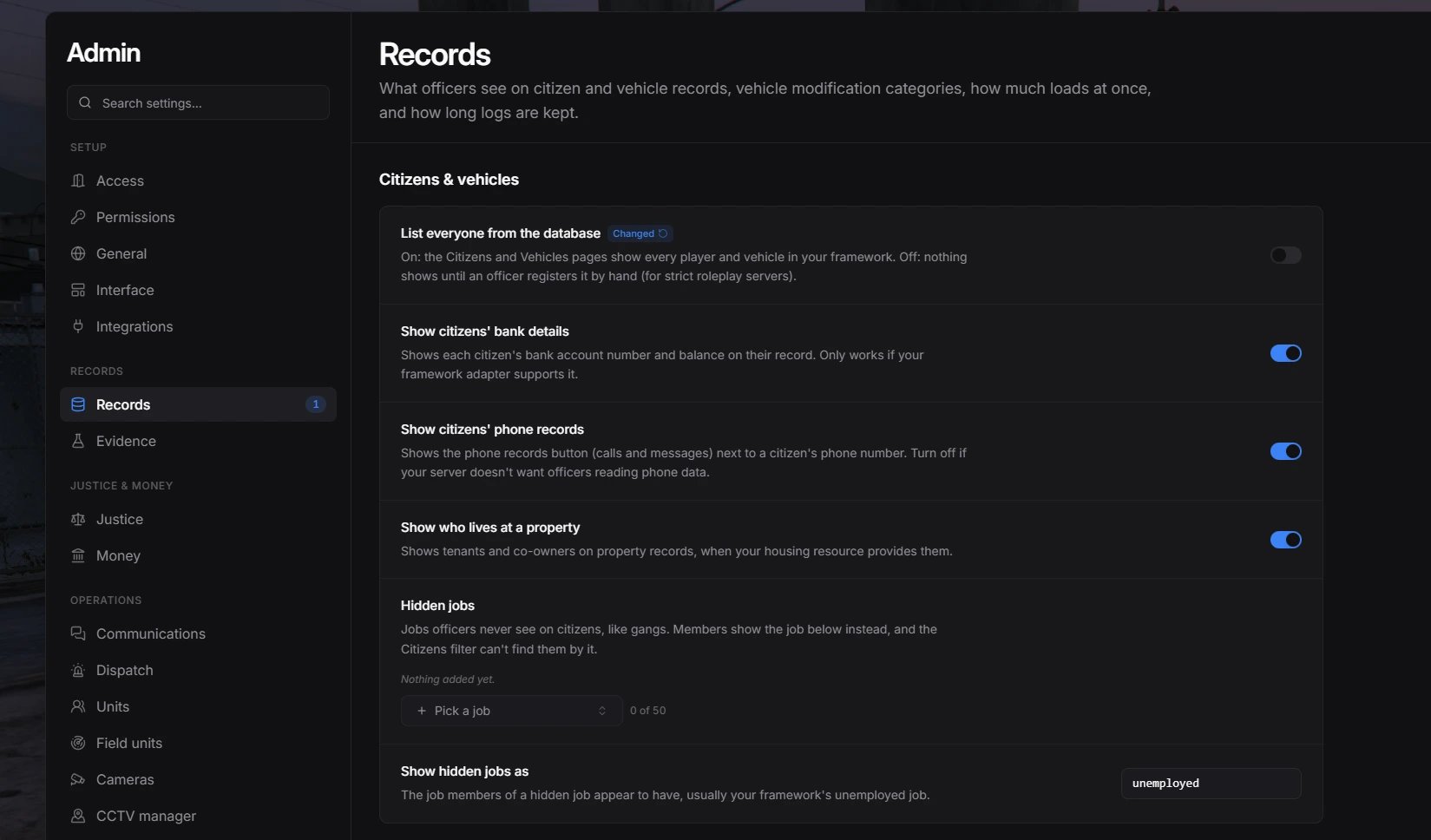
/mdtadmin, open Records, and toggle List everyone from the database. The change applies instantly.Related settings
These settings change what officers see on citizen records, in both modes. You find them in Records in/mdtadmin, except the nationalities, which are in General.